Talk live with an AI character
AI Video Chat and AI Video Call
Choose Clara, Leo or Skye, or add a picture of your own, and start an AI video chat in your browser. It is a live AI video call: you speak, and the character answers out loud with an animated face. Your camera stays off.
Updated
First 60 seconds free per verified account. Then $4.99 for up to 5 minutes. No subscription.
Choose who to call

Clara
An easygoing café companion

Leo
A patient practice partner
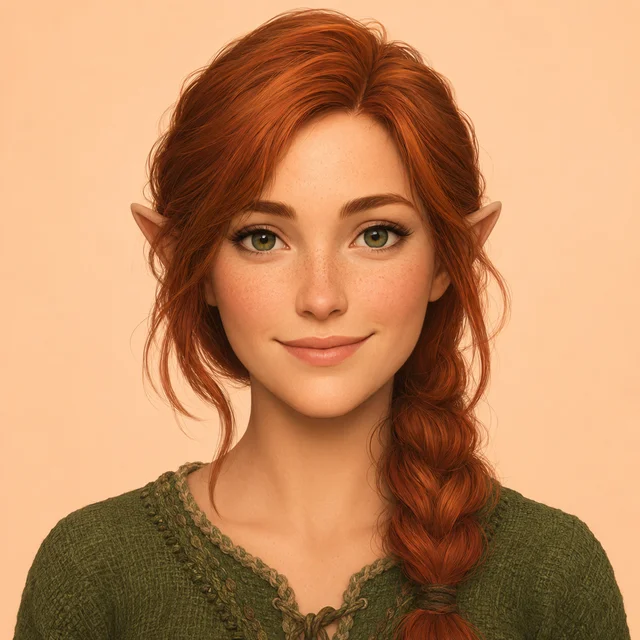
Skye
Your woodland story guide
Create your own
Your picture, voice and personality
Clara
clara voice · Fictional AI character
Hi, I’m your AI café companion. What’s one thing on your mind today?
Start free 60-second callCamera stays off · No card needed · Sign-in is asked at Start
Pick a character first
Every call starts with a character. Press Call under Clara, Leo or Skye and your free 60-second call starts right away, after you sign in with a verified email. Coffee chat is the default scene, and the scene buttons only choose it. If you would rather use your own, choose Create your own, add one clear picture and pick a voice.
Only the free call starts by itself. If your free call is used up, nothing is charged: the call panel shows the $4.99 option and waits for you.
At a glance
| Platform | Your browser, on desktop or phone. Nothing to install. |
|---|---|
| Languages | English |
| Characters | 3 starters (Clara, Leo, Skye), or your own picture |
| How you talk | Voice, live: you speak and the character answers out loud |
| Camera | Yours stays off |
| Price | 60 seconds free per verified account, then $4.99 for up to 5 minutes. No subscription. |
Three steps to your first call
- 1
Pick a character
Press Call under a starter, or add a picture of your own. Optionally choose a scene.
- 2
Check the microphone and your free time
The call panel asks for microphone permission and shows whether your free 60 seconds are still available.
- 3
Say hello
Press start, sign in with a verified email if asked, and talk. End the call whenever you like.
What “video” means here
Two different things are called video. One is a live, two-way call: you talk, and the character answers straight away with a voice and an animated face. The other is a generated video clip: you describe a scene, wait for it to render and watch a file.
We do the live call. We do not generate clips, so there is nothing to wait for or download.
The character is an AI. It is not a real person and not a deepfake of anyone: the three starters are original fictional characters, and pictures of real people are only allowed with their permission.
Scenes to start from
A scene sets the opening line and the direction of the conversation. Pick one and the call panel above uses it.
Coffee chat
A small pause in your day.
“Hi, I’m your AI café companion. What’s one thing on your mind today?”
Story adventure
Step into a world together.
“Hello, adventurer. I’m an AI story character, and we’ve just found a tiny door in an enormous tree. Shall we knock?”
English practice
Say it out loud, without pressure.
“Hi, I’m your AI practice partner. Shall we try ordering a coffee, or would you like to practice something else?”
Creative spark
Give your next idea a little room.
“Hi, I’m your AI creative partner. What are you making, or what would you love to make?”
Interview rehearsal
Practice one answer at a time.
“Hi, I’m your AI interview practice partner. What role would you like to rehearse for?”
What a first hello can look like
Example only, built from this page’s default character and scene. It is not a recording or a real conversation.
Coffee chat
Hi, I’m your AI café companion. What’s one thing on your mind today?
- Clara: An easygoing café companion
- Microphone on, camera off. Always an AI character.
Questions about AI video chat
Is AI video chat free?
The first 60 seconds are free for each verified account, with no card. After that, $4.99 buys up to 5 minutes as a one-time purchase. Designing and previewing a character costs nothing.
Can I video call an AI character?
Yes. You speak into your microphone and the character answers out loud, with an animated face you can watch. It is a live, two-way call, and your camera stays off.
Is this the same as generating a video?
No. A generated video is a clip you wait for. Here the conversation happens live, and we do not generate video clips.
Does the AI see me?
No. Your camera stays off. You talk through your microphone, so the character answers what you say, not how you look.
Does it work in my browser or on my phone?
It runs in the browser, with nothing to install, and the page is laid out for phones as well as desktops. You need to allow the microphone and have a steady connection, and headphones help. We have not published a list of supported devices, so use your free 60 seconds to check your own setup before you pay.
Is it a real person?
No. Every character is an AI. The three starters are original fictional characters, and none of them is a deepfake of anyone.
Do I need a subscription?
No. $4.99 is a one-time purchase for up to 5 minutes. Nothing renews, and unused minutes stay in your balance for another call.
What happens after the first 60 seconds?
The free call ends and you are offered more time with the same character for $4.99. You can say no and nothing is charged.
Do I have to sign in?
Yes, for a call. You sign in with a verified email before it starts, which is also how we give each account one free call. The five-reply text chat is a separate mode that needs no account.
Can I use my own picture?
Yes. Choose Create your own and upload one clear, front-facing JPEG, PNG or WebP, up to 8 MB and at least 128 pixels on each side. Use original characters or images you have the right to use, and no real people without their permission.
Does it remember me between calls?
No. Your saved picture, voice and direction are reused, but the character does not carry memories from earlier conversations into a new call.
Does waiting for the connection use my time?
No. Preparation and connection waiting are not counted. Connected time is counted in six-second intervals, and unused reserved time returns to your balance when the call ends.
What can we talk about?
Anything you like. The scenes are coffee chat, story adventure, English practice, creative spark and interview rehearsal, and you can write your own direction. Practice scenes are conversation practice, not a certified assessment.
Which languages does it speak?
English is the language we support today. The scenes and opening lines are written in English, and the English practice scene is built for speaking practice.
Comparing apps? See AI video chat apps compared
Related
Next door to this page:
- AI video call: a call where you edit the opening line before you start.
- AI voice chat: pick one of 30 voices and keep the camera off.
- AI Omegle alternative: one tap to meet a random character, never a stranger.